A proposal ready to send
Client, menu, services and price in one document.


YOUR EVENTS OFFICE, ALL IN ONE PLACE.
Event management software for restaurants, caterers, pastry shops and delis. Keep track of clients and enquiries, prepare PDF quotes and organise your kitchen and front-of-house teams.
Send your details to the team. Agreements and payment are arranged by email.
THREE LESS THINGS TO WORRY ABOUT
Client, menu, services and price in one document.
Record agreed deposits and keep track of deadlines with reminders.
Generate a printable sheet with the event details for your kitchen and front-of-house teams.
BUILT FOR HOSPITALITY TEAMS
EVENT MANAGEMENT
Save client contacts and reuse their details when preparing a new enquiry.
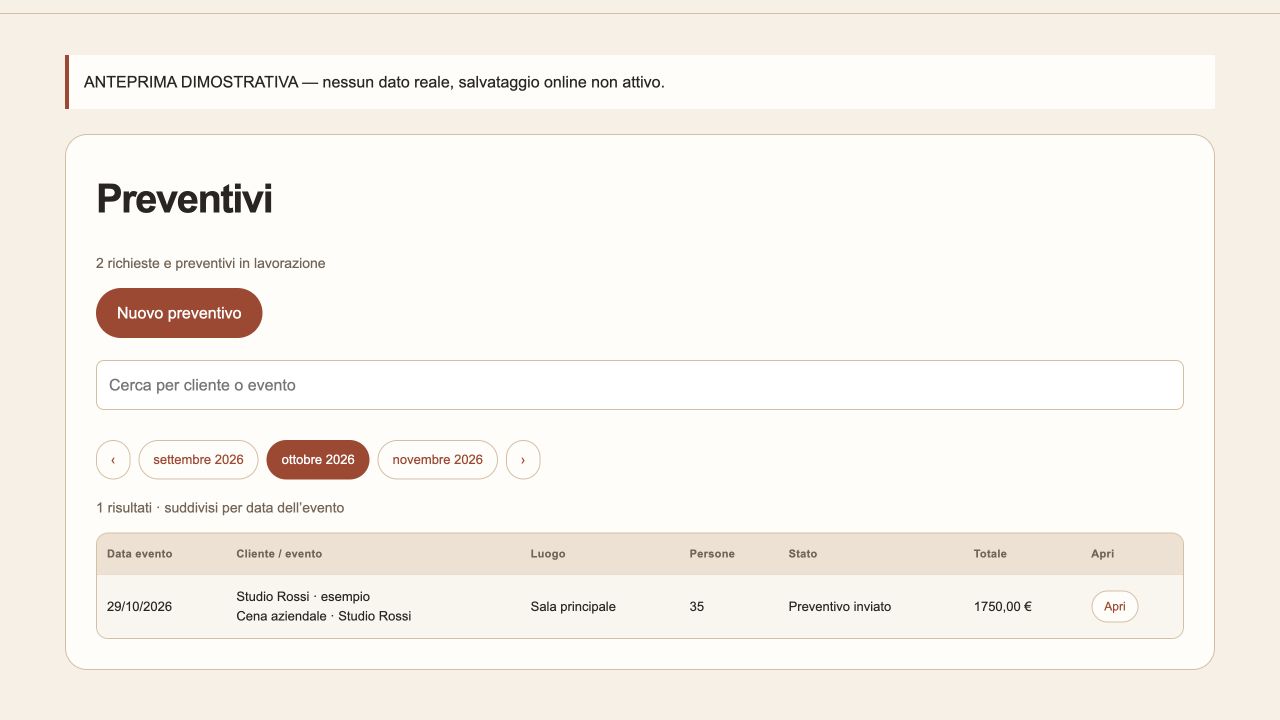
Prepare event and catering quotes, update their status and find appointments in your calendar.
Organise dishes and products by item, kilogram or your own units. Mark gluten-free, lactose-free and vegetarian options.
Generate a service sheet with the event menu, timings, setup and notes for the kitchen and front of house.
Manage your business details, contacts and payment terms. Update them whenever you need to.
Sign in to find your saved business information online.
START HERE
Fill in the request form and select Event management.
Our team sends you the agreement and the agreed payment instructions.
Once the documents and payment required by your agreement have been checked, ENVIAA activates your access.
YOUR WORKSPACE
We help you decide whether ENVIAA is right for your business. Terms, agreements and payment are arranged by email.
Choose Event management and leave your contact details. The ENVIAA team will get back to you by email.
Ask about event managementAlready have an account? Sign in
Submit the form and select Event management. Our team contacts you by email about the agreement, terms and payment. Submitting the request does not activate the service automatically.
Open Nuovo preventivo (New quote), enter the client and event details, build the menu and set the final price. Select Salva preventivo (Save quote), then Genera PDF (Generate PDF), and choose Save as PDF in the print dialog.
Enter the food cost per unit of each dish. Add the quantities to the quote. Set your target margin in the venue profile to receive a suggestion; you always decide the final selling price.
Yes. In the venue profile you can set your business details, dishes, logo, margin and reminder deadlines. Your logo appears on quotes and event service sheets.
Check your email address and use Forgot password on the sign-in page. Check your spam folder if you cannot find the email. If the problem continues, describe it to info@enviaa.it without including your password.
More questions? Visit customer support or email info@enviaa.it.